

Every gRPC service and protobuf message, mapped for you and your AI agents.
ProtoMap is a context engine and model harness specialized for gRPC and Protobuf (more protocols coming soon). It scans your source code and provides organization-wide, centralized context to engineers and coding agents. Plug in the ProtoMap MCP and benefit immediately. Benchmarks show 13× fewer tokens, 7.7× faster answers, 6.4× lower cost, and increased accuracy. The bigger the codebase, the bigger the gain.
Paste into your coding agent
Set up ProtoMap and show me what it can do. ProtoMap maps gRPC services and protobuf messages across repositories, and gives coding agents that graph over MCP. Docs: https://docs.protomap.ai/quickstart/

Tell me what you are about to do before each step that installs something.

1. Check that this computer has git, Docker with Compose 2.23.1 or newer, at least 4 GB of RAM, and 20 GB of disk space. If anything is missing, tell me and stop.

2. Install ProtoMap Server, in a folder outside this repository:

   git clone https://github.com/hounddogai/protomap.git
   cd protomap
   ./self-hosted/scripts/install.sh

   The installer asks questions. Choose Trial, which runs PostgreSQL locally and logs the CLI in, and keep the default port.

3. Show me the address and the one-time setup key the installer prints. Ask me to open the address, enter the key, and create my organization and owner account. Wait until I say that's done.

4. Scan this repository, from a new shell so the CLI is on the PATH:

   protomap scan .

   If it has no gRPC services in a supported language, tell me, and offer to scan a public example instead:

   git clone https://github.com/GoogleCloudPlatform/microservices-demo.git
   protomap scan microservices-demo

5. From the scanned repository's folder, add ProtoMap to yourself as an MCP server:

   Claude Code: claude mcp add protomap -- protomap mcp serve
   Codex: codex mcp add protomap -- protomap mcp serve
   Antigravity: add "protomap": { "command": "protomap", "args": ["mcp", "serve"] } under mcpServers in ~/.gemini/config/mcp_config.json
   Others: https://docs.protomap.ai/coding-agents/

   Tell me if I need to restart you for it to take effect.

6. Tell me what the scan found, then use ProtoMap's tools to answer one question about my services, such as which services call a method and where. Suggest two more questions I could ask.
HoundDog.ai, the creator of ProtoMap, is trusted by





Why ProtoMap
Fast, cheap, and accurate at scale
Stop burning tokens spinning up subagents and rediscovering the same code. Instruction and memory files go stale quickly and are challenging to maintain across large codebases. ProtoMap derives its context deterministically from the code itself, with no additional files to write or maintain. The analysis runs efficiently on a modern laptop, with no GPU required. Future-proof against the inevitable explosion of code.
“We want to remove the gRPC method PaymentService/. Find every place in every repo that calls it,
including indirect calls.”
 Claude
Working…
Answered
- Bash grep -rn "CreatePayment|create_payment" across all 9 repos
- Bash Count the files in each repository
- Bash Count the files mentioning create_payment, per repo
- Bash grep -rIc -i "create_?payment" | sort
- Thinking Direct mentions are only a start; tracing helpers, registries, and string-built names repo by repo
- Bash Python: grep "getattr|registry[" in src
- Bash Python: show every getattr call site
- Bash Python: grep "unary_unary|acme.payments.v1."
- Thinking Python done: 3 real callers. Moving on to Go
- Bash Go: grep "CreatePayment" outside generated code
- Bash Go: grep ".Invoke(|MethodByName|reflect."
- Bash grep every repo for "Create" and "Payment" string pieces
- Grep Method names built from strings, across all repos
- Bash pkill the slow background grep
- Thinking Go has 4 callers. Sweeping the other 7 repos with a broader pattern
- Grep "create.?payment", any case, all repos
- Bash C#: grep hand-built "new Method<" descriptors
- Thinking C# has 4 callers, one through a hand-built descriptor. JS and TS next
- Bash JS: grep "paymentClient|PaymentService"
- Thinking JS has 2 callers, one through a string key. TypeScript next
- Bash TS: grep "Client[|makeUnaryRequest|as keyof"
- Thinking TypeScript has 1 caller. Now Swift and Rust
- Bash Swift: grep "MethodDescriptor(|methodName:"
- Bash Rust: grep "PathAndQuery|format!("/{}/{}")"
- Thinking Rust has 2 callers. Kotlin and Java match nothing by name, so looking for indirect forms
- Bash Java, Kotlin: grep "generateFullMethodName|getDeclaredMethod"
- Thinking Java builds method names from split strings, like "Cre" + "atePayment". Searching for fragments
- Grep Every split of "CreatePayment" into two strings
- Grep "findMethodByName|Class.forName|ServerReflection"
- Thinking Java has no callers. Confirming the handler around each call site
- Bash awk: the enclosing function of each call site
- Bash grep compiled files (.pyc, .class, .dll) for createpayment
- Bash awk: the enclosing C# handlers
- Bash grep the callers of the Swift and Rust helpers
- Answer 18 call sites in 8 of the 9 repos, with file:line
- Time
- 8m 13s
- Tokens
- 7.0M
- Cost
- $4.46
 Claude + ProtoMap
Working…
Answered
- ToolSearch Load ProtoMap’s list_call_sites tool
- protomap list_call_sites rpc: acme.payments.v1.PaymentService/CreatePayment
- protomap list_call_sites unresolved: true
- Grep "CreatePayment|create_payment", count per file
- Read checkout/…/PaymentSyncGrpcService.kt
- Grep "workerForSettlePayments0" in checkout
- Read checkout/…/PaymentSyncGrpcService.kt
- Answer 18 call sites in 8 of the 9 repos, with file:line
- Time
- 27s
- Tokens
- 130K
- Cost
- $0.20
Private by Design
Runs on-prem with Docker and PostgreSQL. Bring your own model for complete isolation.
Enterprise Ready
Scans millions of lines of code in minutes. Supports both monorepos and multi‑repos.
Security First
HoundDog.ai is SOC 2 compliant, pentested regularly, and a member of Anthropic’s Defense Access and OpenAI’s Daybreak Blue programs.
How it works
From source code to answers, in four steps.
Scan
Run protomap scan to analyze your gRPC and Protobuf code. A million lines of code in seconds.
Supported Languages
-
 Go
-
 Java
-
 Kotlin
-
 C#
-
 Python
-
 TypeScript
-
 JavaScript
-
 Rust
-
 Swift
- Monorepos
- Multi-repos
Graph
Entities and their connections form a graph, updated on every merge to main and in real time for local code changes.
Example Entities Tracked
- Repos
- Services
- Methods
- Fields
- Messages
Review
Bring your own AI model to prune false positives.
Supported AI Providers
-
 Anthropic
-
 OpenAI
-
 Grok
-
 TypeSafe.ai
-
 Gemini
-
 AWS Bedrock
-
 Microsoft Foundry
Query
Agents query the graph over the ProtoMap MCP.
Supported Coding Agents
-
Claude Code
-
 Codex
-
 Antigravity
-
 VS Code
-
 OpenCode
- + any MCP client
Humans query it through the model harness.
Example Queries
- blast radius
- field lineage
- call graph
- dependencies
- service hotspots
- dead gRPC methods
- code owners

Backed by benchmarks
A code context graph that actually works, measured on both synthetic and real codebases with millions of lines of code.
- faster per prompt
- 7.7×
- cheaper per prompt
- 6.4×
- fewer tokens
- 13×
| Prompt | Claude Code time | Claude Code + ProtoMap | Faster | Claude Code cost | Claude Code + ProtoMap | Cheaper | Claude Code tokens | Claude Code + ProtoMap |
|---|---|---|---|---|---|---|---|---|
| Services in a repo | 1m 12s | 39s | 1.8× | $0.58 | $0.31 | 1.9× | 411K | 109K |
| Most-connected services | 23m 56s | 12s | 121× | $9.86 | $0.15 | 64× | 15.8M | 71K |
| Field blast radius | 6m 27s | 21s | 18× | $9.00 | $0.22 | 41× | 16.8M | 107K |
| Changing a request field | 3m 24s | 1m 09s | 3.0× | $1.69 | $0.65 | 2.6× | 1.9M | 693K |
| Response field source | 25s | 18s | 1.4× | $0.24 | $0.21 | 1.2× | 172K | 161K |
| Two-hop field lineage | 49s | 24s | 2.0× | $0.47 | $0.20 | 2.4× | 378K | 121K |
| Removing a method | 8m 13s | 27s | 18× | $4.46 | $0.20 | 23× | 7.0M | 130K |
| Service outage impact | 7m 18s | 16s | 28× | $1.97 | $0.13 | 15× | 3.4M | 68K |
| Shortest call chain | 5m 09s | 8s | 39× | $1.55 | $0.076 | 20× | 2.0M | 62K |
| Callers outside handlers | 4m 59s | 28s | 11× | $8.70 | $0.20 | 44× | 17.1M | 100K |
| Service API docs | 1m 54s | 22s | 5.3× | $1.06 | $0.23 | 4.6× | 1.3M | 127K |
| Dead gRPC methods | 2m 49s | 2m 41s | 1.1× | $0.97 | $0.51 | 1.9× | 1.1M | 502K |
| What a handler calls | 2m 32s | 36s | 4.2× | $0.34 | $0.39 | 0.9× | 261K | 372K |
| Cross-domain calls | 2m 54s | 20s | 8.7× | $0.92 | $0.19 | 4.8× | 1.0M | 86K |
| Proto change impact | 2m 11s | 24s | 5.4× | $1.51 | $0.31 | 4.9× | 1.6M | 139K |
| All prompts | 96m 55s | 10m 42s | $50.69 | $5.13 | 80.5M | 3.4M |
From our benchmarks on a synthetic codebase (5M LOC). Opus 5.5 at high effort, on a log scale. The chart shows 15 key prompts of 20; the figures above cover all 20. See every prompt in the full benchmarks. Numbers are subject to change with testing on more codebases and newer models.
Beyond gRPC, coming soon
ProtoMap is expanding to more protocols, with end-to-end data lineage across the entire stack.
REST APIs
OpenAPI, endpoints, and fields
 GraphQL
Schemas, resolvers, and fields
 Apache Thrift
IDL files, services, and fields
Full Data Lineage
Source to sink, across your stack
See it in action
 10:53
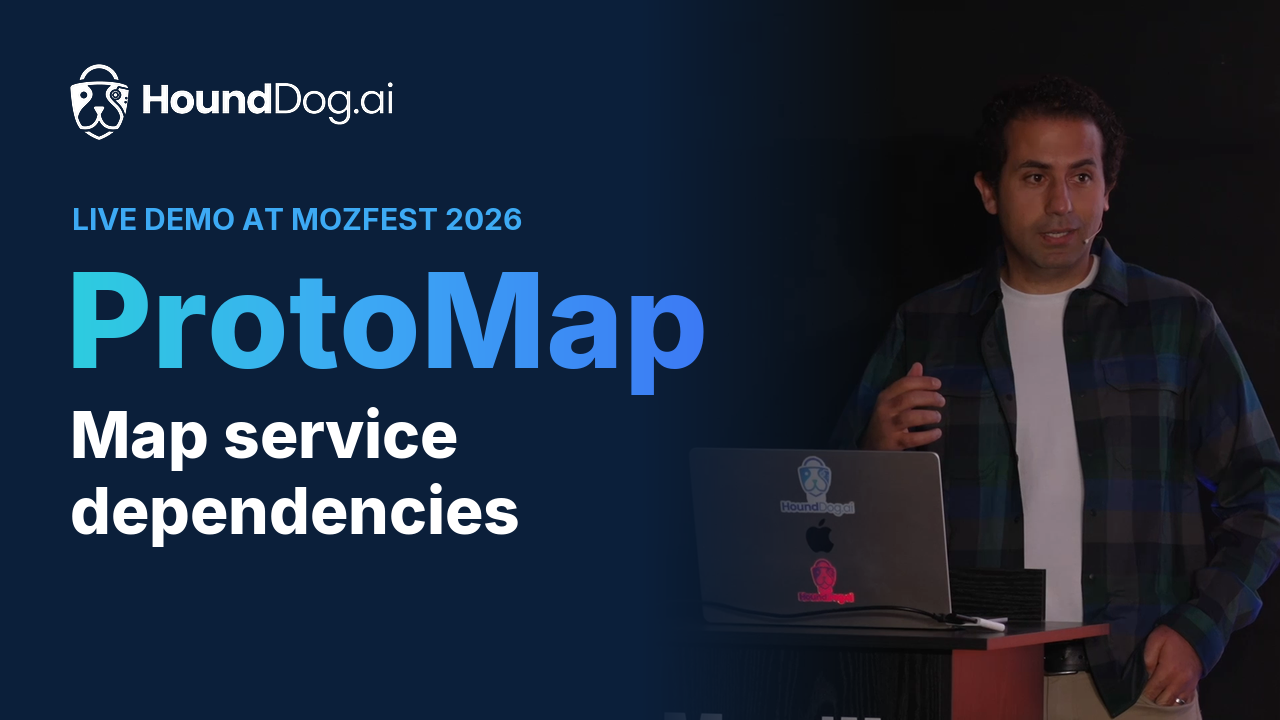
Live demo · MozFest 2026
HoundDog.ai ProtoMap Demo at MozFest
Live demo of HoundDog.ai’s ProtoMap at MozFest’s Open Source House: callers and callees, and the blast radius of changing a field name.
 HoundDog.ai
Benchmarks · Side by side
ProtoMap × Claude Code
7× faster · 36× cheaper
Claude Code alone6:01 · $14.44
Claude Code + ProtoMap0:50 · $0.40
1:09
Benchmarks · Video
ProtoMap × Claude Code, side by side
The same prompt in two live sessions: ProtoMap’s answers in 50 seconds for $0.40, the baseline’s in 6 minutes for $14.44.
Try it on your code.
Paste into your coding agent
Set up ProtoMap and show me what it can do. ProtoMap maps gRPC services and protobuf messages across repositories, and gives coding agents that graph over MCP. Docs: https://docs.protomap.ai/quickstart/

Tell me what you are about to do before each step that installs something.

1. Check that this computer has git, Docker with Compose 2.23.1 or newer, at least 4 GB of RAM, and 20 GB of disk space. If anything is missing, tell me and stop.

2. Install ProtoMap Server, in a folder outside this repository:

   git clone https://github.com/hounddogai/protomap.git
   cd protomap
   ./self-hosted/scripts/install.sh

   The installer asks questions. Choose Trial, which runs PostgreSQL locally and logs the CLI in, and keep the default port.

3. Show me the address and the one-time setup key the installer prints. Ask me to open the address, enter the key, and create my organization and owner account. Wait until I say that's done.

4. Scan this repository, from a new shell so the CLI is on the PATH:

   protomap scan .

   If it has no gRPC services in a supported language, tell me, and offer to scan a public example instead:

   git clone https://github.com/GoogleCloudPlatform/microservices-demo.git
   protomap scan microservices-demo

5. From the scanned repository's folder, add ProtoMap to yourself as an MCP server:

   Claude Code: claude mcp add protomap -- protomap mcp serve
   Codex: codex mcp add protomap -- protomap mcp serve
   Antigravity: add "protomap": { "command": "protomap", "args": ["mcp", "serve"] } under mcpServers in ~/.gemini/config/mcp_config.json
   Others: https://docs.protomap.ai/coding-agents/

   Tell me if I need to restart you for it to take effect.

6. Tell me what the scan found, then use ProtoMap's tools to answer one question about my services, such as which services call a method and where. Suggest two more questions I could ask.
In the self-hosted version, no source code leaves your environment. If you use our cloud version, only the minimal code context around tracked entities is transmitted for analysis, never full repositories. It is deleted after analysis and never used for training.